Zero-friction booking
No sign-up, no passwords. Type a name and the seat is yours. Booking another desk automatically frees the old one.
Open source · Django · Self-hosted
Window-Works turns your office into one clickable, colour-coded floor plan. Anyone can grab a free desk by typing their name. Staff repaint the layout right in the browser, with no spreadsheets and no database edits.
The real 13 × 30 layout that ships with the project. Click a desk to see who's there, or claim a free one.
This demo runs entirely in your browser; nothing is saved. In the real app every reservation goes through the Django back end.
How it works
Every desk is a cell on a fixed grid, coloured by department and badged Free or Occupied. Right-click and drag to pan around big floors.
Click any desk to see its department, who's sitting there, and for how long.
Click a free desk, type your name, confirm. It's yours until the end of the day, and your name is remembered for next time.
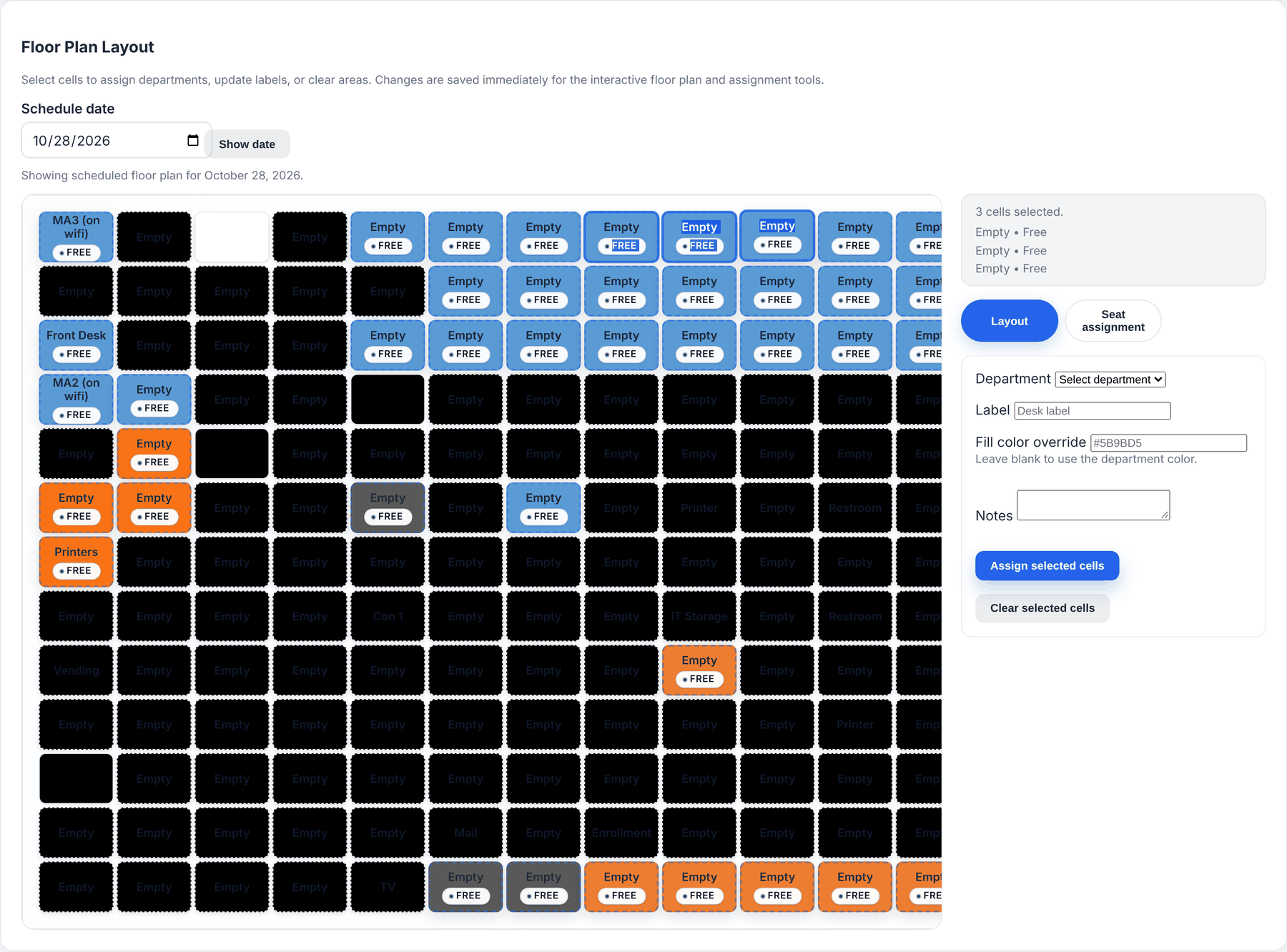
Staff paint departments, labels and colours onto the grid, and record desk or work-from-home assignments.
Features
Window-Works does one job well: it keeps an accurate, shared picture of your office.
No sign-up, no passwords. Type a name and the seat is yours. Booking another desk automatically frees the old one.
Select cells, then assign a department, label, colour override or notes. Changes save instantly for everyone.
Record temporary or permanent desk and work-from-home assignments with start and end times. Preview any date.
Teams get their own colour, so you can spot Marketing, Finance or IT from across the room. Override per desk when you need to.
The front end runs on plain JSON endpoints, so kiosks, chat bots and dashboards can plug straight in.
A single Django project with SQLite and WhiteNoise. No SaaS subscription, and your seating data stays on your servers.
Admin console
Staff sign in to the admin console and work on the same grid everyone else sees.
Built to integrate
Desk identifiers follow the grid. For example, enrollment-r13c10 is the Enrollment desk at row 13, column 10. Plug the endpoints into a lobby kiosk, a Slack command or a status board.
| Endpoint | Purpose |
|---|---|
POST/api/assignment-info/ | Latest assignment for a name |
GET/api/desks/<id>/ | Desk metadata and status |
POST/api/desks/<id>/assign/ | Reserve a free desk |
POST/api/layout/update/ | Staff-only layout edits |
Get started
All you need is Python 3.12 or newer. The bundled fixture gives you a full sample office to explore.
# Clone and install
git clone https://github.com/miles-howell/Window-Works.git
cd Window-Works
python3 -m venv venv && source venv/bin/activate
pip install -r requirements.txt

# Configure, migrate and load the sample office
echo "SECRET_KEY=change-me-in-production" > .env
python manage.py migrate
python manage.py loaddata floorplan/fixtures/floorplan_layout.json

# Create a staff login for the admin console, then run it
python manage.py createsuperuser
python manage.py runserver
Open http://127.0.0.1:8000/ for the floor plan and /admin-console/ for the staff tools. Before deploying, turn off DEBUG, set ALLOWED_HOSTS, and run collectstatic.
Free, open source and self-hosted. Star the repo, try it locally, and tell us what your floor needs.